FTP - File Transfer Protocol
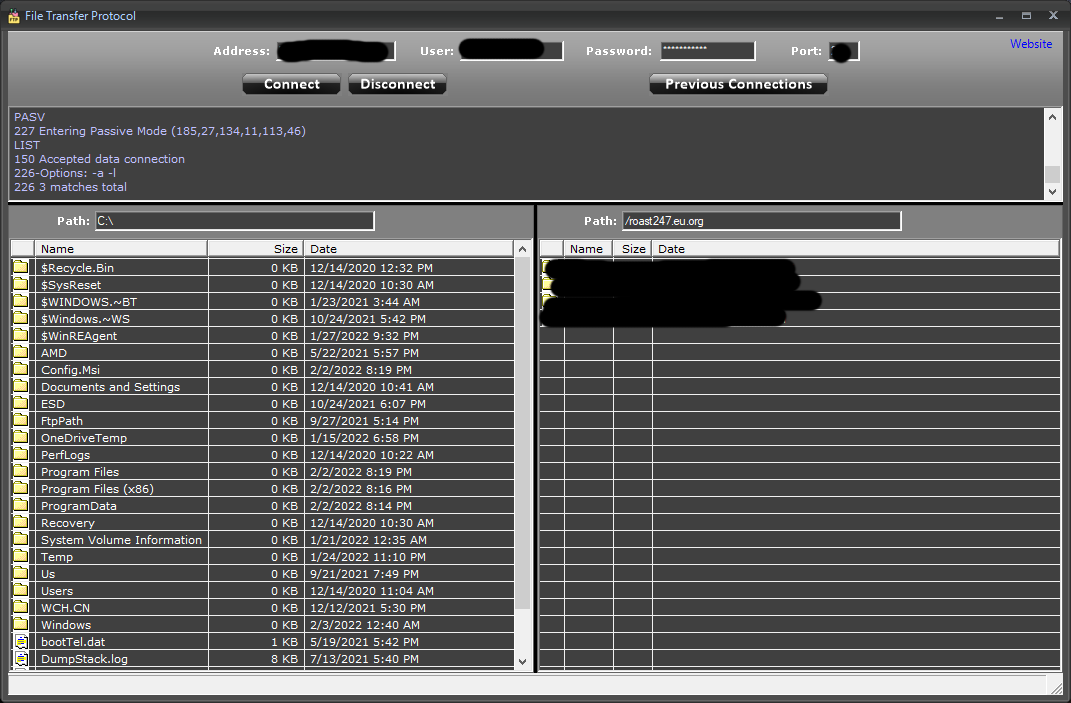
Discover how Greywater's FTP - File Transfer Protocol app simplifies server connections and network file management for Windows users in our full review.
Streamlining Network Storage with FTP - File Transfer Protocol
Managing remote servers and moving assets across networks requires dependable software. The FTP - File Transfer Protocol client by Greywater offers Windows users a dedicated utility designed to bridge the gap between local machines and remote storage systems. Built specifically for the Windows platform, this tool provides a straightforward environment to execute standard file transfers without unnecessary complexity.
Who Benefits Most from This FTP Client?
Not everyone needs a bloated, enterprise-grade development suite just to move a few files. This application is particularly well-suited for:
- Web Administrators: Quickly upload assets, update remote scripts, or download configuration files directly from your server.
- IT Professionals: Manage routine backups and move system images across local or wide-area networks using a dedicated Windows application.
- Students and Hobbyists: Learn the fundamentals of network protocols and manage personal NAS drives with a clean, approachable interface.
Key Features of FTP - File Transfer Protocol
This software focuses on core functionality, ensuring that your network tasks are completed without distracting overhead. Key highlights of the application include:
- Direct Windows Integration: Built natively for Windows to ensure stable performance and a familiar user experience.
- Standardized Protocol Support: Implements the classic File Transfer Protocol to guarantee compatibility with almost any modern server environment.
- Simplified Navigation: Designed to help you connect, locate your target directories, and initiate transfers with minimal clicks.
Why Choose a Dedicated Client?
While command-line tools exist for network transfers, a visual FTP - File Transfer Protocol application reduces the risk of syntax errors and interrupted sessions. It visualizes your server directory structure, making it much easier to verify that your files have landed safely in the correct remote folder. For Windows users seeking a lightweight, dedicated IT tool, Greywater's solution offers a practical approach to daily network management.
Get the Official App
Ready to simplify your remote file management workflow? You can read user reviews, view more interface screenshots, and acquire this software directly from the official Microsoft Store page.