
Kamoso
Read our comprehensive review of Kamoso, the lightweight Linux webcam utility developed by KDE. Discover how to capture photos and record videos easily.
When you need a straightforward tool to interact with your computer's camera on Linux, the Kamoso webcam utility offers an elegant, no-fuss solution. Developed by the trusted KDE community, this lightweight media application strips away the complexity often associated with video recording software, delivering a clean interface focused entirely on utility. Whether you need to snap a quick profile picture or record a brief video message, it provides a highly reliable environment to get the job done without a steep learning curve.
Streamlined Media Capture with the Kamoso Webcam Utility
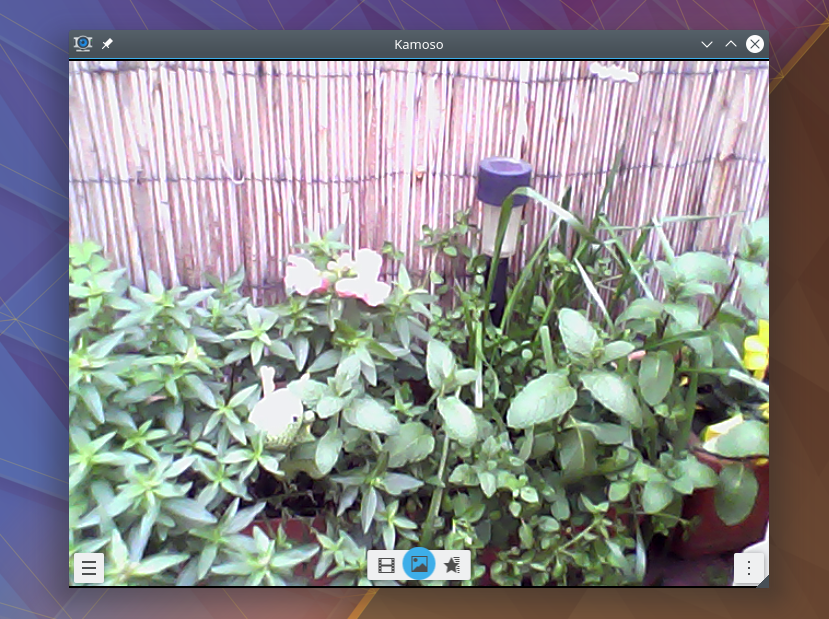
Many modern webcam applications overwhelm users with complex configuration menus and unnecessary filters. The Kamoso webcam utility takes the opposite approach by prioritizing immediate usability. From the moment you launch the software, your camera feed is front and center, allowing you to focus on your content rather than the underlying technology.
Key Capabilities and Practical Uses
- Instant Photo Capture: Take high-quality still images with a single click, perfect for quick avatars, documentation, or sharing moments with friends.
- Effortless Video Recording: Create video clips smoothly, making it an excellent tool for quick video diaries, software bug demonstrations, or personal memos.
- User-Friendly Interface: Designed with the signature KDE focus on usability, the layout is intuitive enough for beginners while remaining highly responsive.
- Seamless System Integration: As a native Linux application, it integrates beautifully with your desktop environment, respecting system-wide themes and media pathways.
Who Is This Webcam Tool For?
This software is ideal for Linux desktop users who require a dedicated, lightweight tool for quick media creation. If you find professional production suites too cumbersome for simple daily tasks, this application bridges the gap perfectly. It is particularly well-suited for users who value open-source reliability and want a utility that launches instantly and performs predictably every time.
Explore the App on the Official Store
If you are looking for a dependable, straightforward way to manage your camera inputs on Linux, this utility is highly recommended. To learn more about the application, view user discussions, or check compatibility with your specific system setup, head over to the official Flathub store page to explore its features in detail.