Easy MP3 Converter Lite
Read our comprehensive review of Easy MP3 Converter Lite. Discover how this Mac utility simplifies audio conversion with advanced customization options.
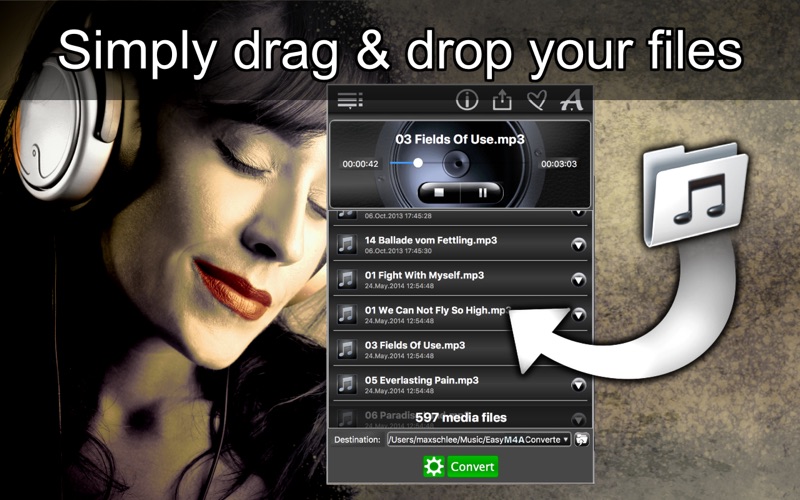
Easy MP3 Converter Lite is a dedicated utility designed to streamline how Mac users convert their audio files into the universally compatible MP3 format. Developed by Max Schlee, this media application stands out by offering an exceptionally clean, drag-and-drop interface combined with deep customization settings that go far beyond basic file exporting.
The Standout Feature: Complete Audio Control and Extraction
Unlike basic converters that offer zero control over the output, the Easy MP3 Converter Lite application provides a robust suite of audio-tailoring tools. Not only can you convert standard audio, but you can also extract high-quality audio tracks directly from video files such as MP4. This makes it an invaluable tool for saving lecture audio, video soundtracks, or voice memos in a highly portable format.
Key Features of Easy MP3 Converter Lite
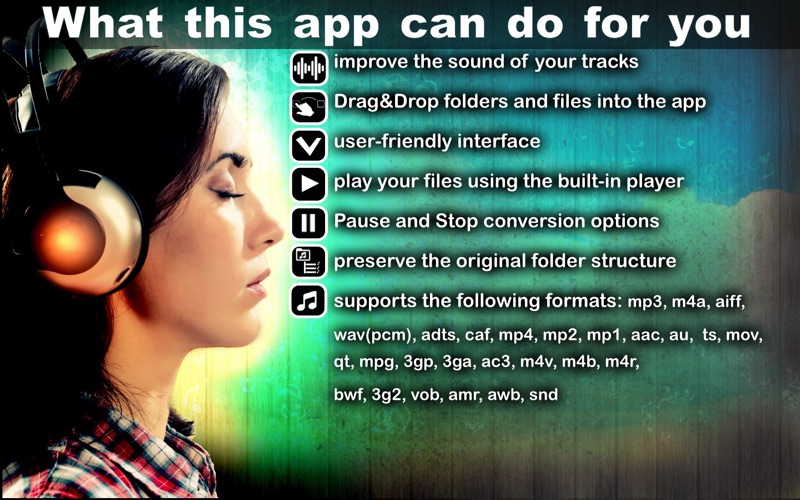
- Broad Format Support: The app handles over 20 input formats, including WAV, AIFF, M4A, CAF, AAC, and FLAC, alongside video formats like MP4, MOV, and MPG.
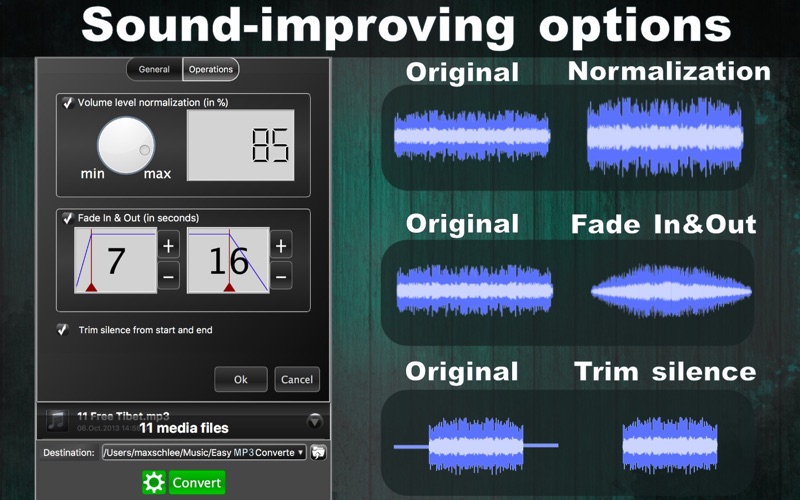
- Advanced Audio Editing: Normalize volume levels, apply smooth fade-ins or fade-outs, and automatically trim silence from the start and end of your tracks.
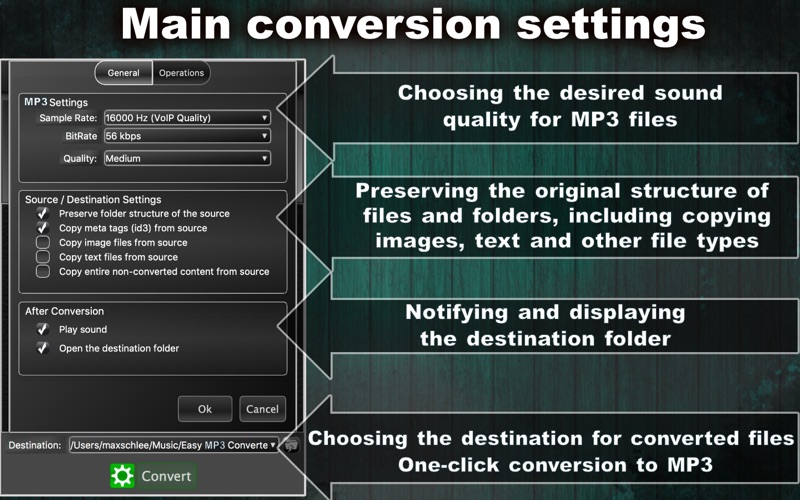
- Directory Preservations: Keep your original file and folder structures intact during batch processing, including any embedded metadata, text, and images.
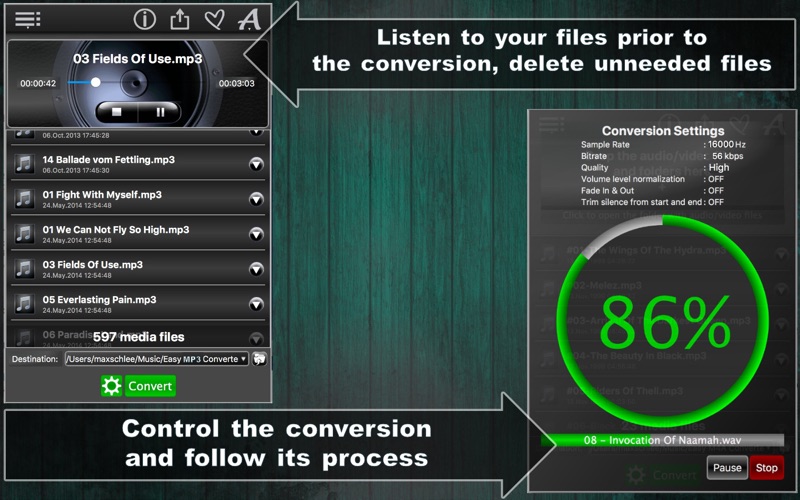
- Pre-Conversion Listening: Use the integrated audio player to audition your files before you commit to the conversion process.
- Granular Settings: Fine-tune your output by adjusting the sample rate and bit rate to achieve the exact balance of file size and audio fidelity you need.
Who Is This Media Utility For?
This software is ideal for Mac users who need a reliable, no-nonsense tool for batch conversions. Whether you are preparing a playlist for an MP3-only CD player, archiving voice recordings, or extracting background music from video clips, the app's drag-and-drop workflow makes the process quick and painless.
A Reliable Choice for macOS
With its straightforward interface and reliable performance, this tool eliminates the frustration of modern media management. If you are looking for a seamless way to manage your audio library, you can learn more and download the application directly from the Official Mac App Store.